NEW EXHIBITOR PORTAL
Starting in 2026, there will be a new portal for all exhibitors at “Alles für den Gast.” Find out here what the portal offers and how it works.
![[Translate to English:]](/fileadmin/_processed_/2/6/csm_20251109_MZS_AllesfuerdenGast2025-OnSite__c_FRBMedia-ChristopherBlank--43_e94045087c.jpg "[Translate to English:]")
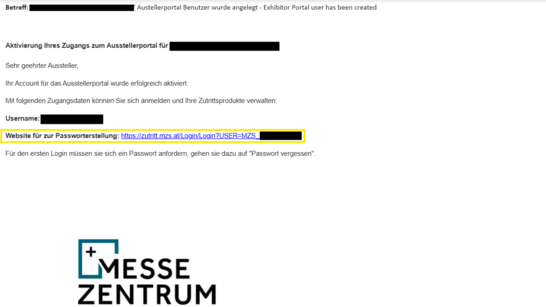
Email with login credentials for your access to the exhibitor portal
As soon as your user account has been created (which occurs upon your binding booth reservation), you will receive an email containing your username and a link to set your password. To activate your account, you must click the link, then click “Forgot Password,” and set your new password there.
PLEASE NOTE: There can only be one user per exhibitor—however, you can share the user credentials within your company and manage your portal in parallel.
The email will be sent no earlier than July 2026.
Dashboard
After the trade show, you will find an overview here showing which of the visitor vouchers and exhibitor passes you sent out were actually redeemed, along with demographic data.
Generate TAN codes for ticket vouchers and discounted invitation tickets
In this tab, you can generate TAN codes for invitations and then either send them via email or download them as an Excel list. Here you will find the TAN codes you have already ordered AND you can also purchase additional TAN codes for a fee. Only the ticket vouchers that are actually redeemed will be charged. If you have used up your paid quota, please contact exs@mzs.at.
The generated TAN codes are automatically sent to the email address on file for the user.
![[Translate to English:]](/fileadmin/_processed_/6/4/csm_Bild__14__3fab7c304e.png "[Translate to English:]")
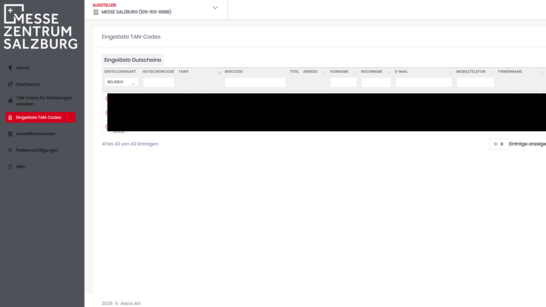
Redeemed TAN codes
Applies to ticket vouchers and discounted invitation tickets.
Here you will find the individual records of generated and redeemed TAN codes, as well as the corresponding detailed visitor data.
Exhibitor badges
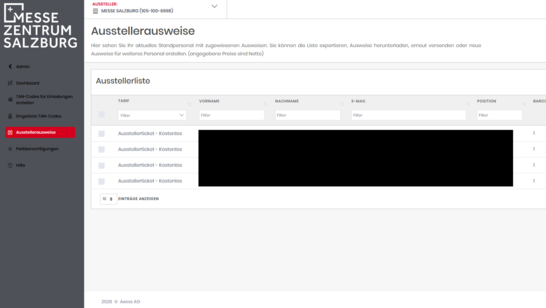
In this tab, you can retrieve your exhibitor badges as a TAN code, personalize them, and then send them via email or download them. Here you will find your allocated quota of badges AND can also purchase additional paid exhibitor badges. If you have used up your paid quota, please contact exs@mzs.at.
The passes will be automatically sent to the email address on file for the user.
Leads
As an admin, you can use this section to add employees, manage permissions, and create interest groups—you can also configure the content of the Leads App here. Once added, each employee can use their own login credentials to scan visitors on-site using their smartphone. You can then view these visitors in the dashboard at any time and export your lead reports as .xlsx or .csv files.
Parking Permits
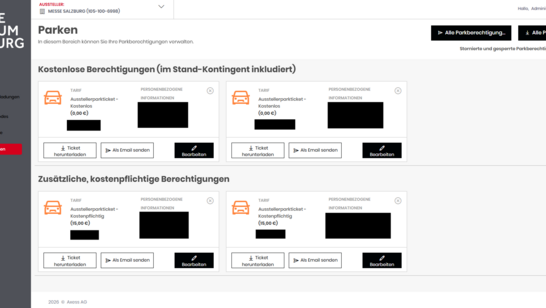
In this tab, you can view your parking permits and then either send them via email or download them. Here you will find your allocated quota of permits AND you can also purchase additional paid parking permits. If you have used up your paid quota, please contact exs@mzs.at.
If you enter a license plate number, it is not necessary to scan the QR code upon entry. If no license plate number is entered, you must scan the QR code upon both entry AND exit. Please do not take a ticket.
The permits are automatically sent to the email address on file for the user.
Help
Under “Help,” you will find a detailed description of the features and processes of the exhibitor portal. If you have any further questions about the portal, please contact onlinesupport@mzs.at